
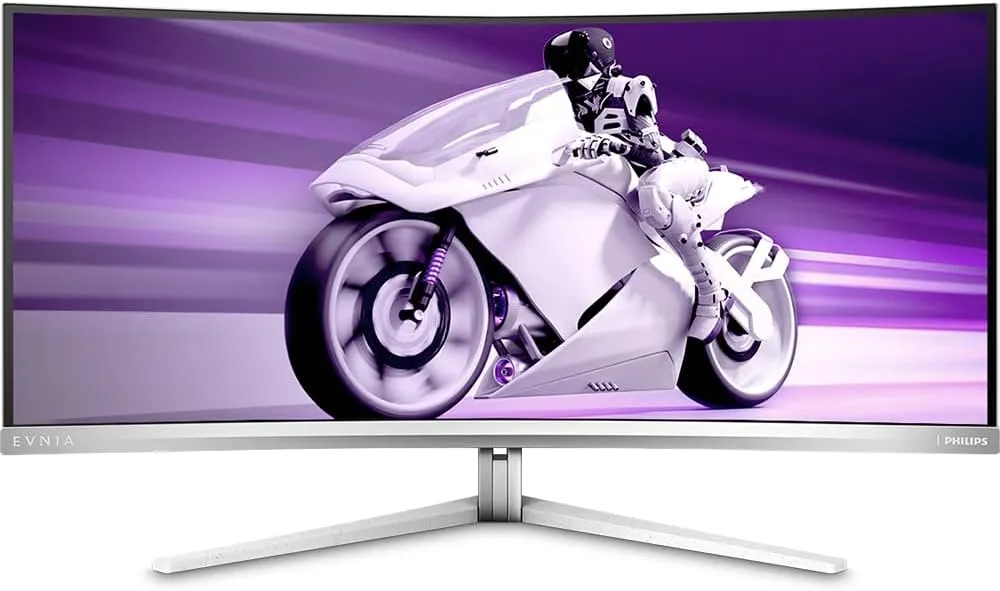
I never, in my wildest dreams, thought I’d own a monitor like the Philips Evnia 34M2C8600. A 34-inch ultrawide QD-OLED panel sitting on my desk? That used to be “other people’s setup” territory. Yet here I am — a very lucky owner, thanks to some good friends in the industry and a nod from Philips.
I’ve used IPS. I’ve used VA. I’ve used so-called “HDR” displays that barely deserved the sticker on the box. I’ve seen the marketing parade more times than I care to count. But this monitor? This was the first one in a long time that genuinely made me stop and stare the first night I powered it on.
Because when people say “OLED blacks are different”, they’re not exaggerating. They’re underselling it.
First Impressions – The Black Level Shock
The first thing you notice isn’t brightness. It isn’t sharpness. Its depth.
I remember loading into a dark scene and just sitting there for a second. Not moving the mouse. Not touching the keyboard. Just looking at it.
The screen doesn’t glow. That’s the thing that throws you. There’s no haze. No faint grey wash over dark areas. In a dim room, the panel almost disappears. The bezels blend into the image, and you genuinely struggle to see where the screen ends and your wall begins.
To really test it, I fired up No Rest for the Wicked — still in early access — and even in its moody environments, you can see how much shadow detail comes through without that muddy IPS look. Dark stone corridors, torchlight flicker, subtle gradients… they just feel more layered.
Then I went full OLED cliché and booted up Dead Space (Remake). If there’s ever a game built to show off black levels, it’s that. The Ishimura’s corridors aren’t just dark — they’re oppressive. Lights float in pure darkness. When something moves in the shadows, you feel it more because the background isn’t glowing behind it.
I even loaded up Cronos: The New Dawn just to push it further. Deep contrast, atmospheric lighting, heavy blacks — this monitor eats that style of game alive. It’s not subtle. The difference is obvious.
Blacks are properly black. Not grey pretending to be black. Not backlight bleed hiding in the corners. Just pixels switching off completely.
And because of that, colours hit harder. Reds feel deeper. Greens have punch. Neon effects don’t look like they’re fighting a dull background — they sit on top of true contrast.
It’s the kind of upgrade you notice immediately… and then slowly realise you’re ruined. Because once you’ve seen dark games like this on OLED, going back to IPS feels like someone left a light on behind the screen.
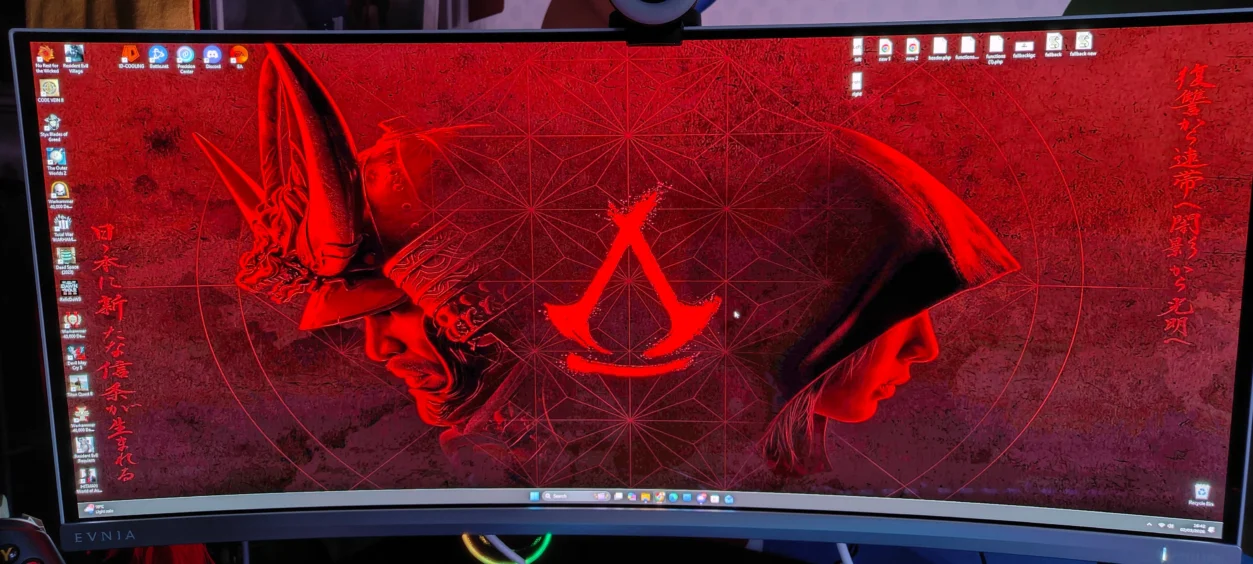
Resolution & Format – 3440×1440 Is Still the Sweet Spot (With Caveats)
At 34 inches, 3440×1440 still feels like the sweet spot — at least for me. It’s sharp without being stupidly demanding. You’re getting far more horizontal space than 1440p, but you’re not punishing your GPU the way 4K ultrawide would. With a decent modern graphics card, you can actually push high settings and still enjoy that 175Hz refresh rate.
But let’s talk honestly about ultrawide.
Not every game supports 21:9 properly. Some titles handle it beautifully — expanding the field of view naturally so you see more of the world left and right. Racing games feel wider and more grounded. RPGs feel cinematic. Shooters feel more immersive because your peripheral vision actually matters.
And then there are the others.
Some games just don’t support ultrawide at all. You’ll load in and the main image is dead centre, with massive black bars on either side. On an OLED, those bars are jet black — so visually it’s clean — but you are very aware that you’re not using the full panel.
Other titles try a half-hearted approach. You might get stretched UI elements, menus that clearly weren’t designed for 21:9, or static background filler on the sides while the actual gameplay remains 16:9 in the middle. It’s not game-breaking. It’s not ugly. But it reminds you that ultrawide is still not universally adopted.
I’ve had moments where I boot something up excited to see it in full width… and it just doesn’t happen. That’s part of ultrawide ownership that people don’t always mention.
That said, when a game does support it properly, it’s difficult to go back. The sense of horizontal space feels natural rather than exaggerated. Landscapes feel broader. Environments feel less boxed in. It’s subtle at first, but after a few weeks you start noticing 16:9 monitors feel slightly cramped.
Outside of gaming, 3440×1440 is brilliant for productivity. Two full-sized windows side by side without scaling nonsense. Browser on one side, document or editing timeline on the other. No alt-tabbing constantly. It genuinely improves workflow.
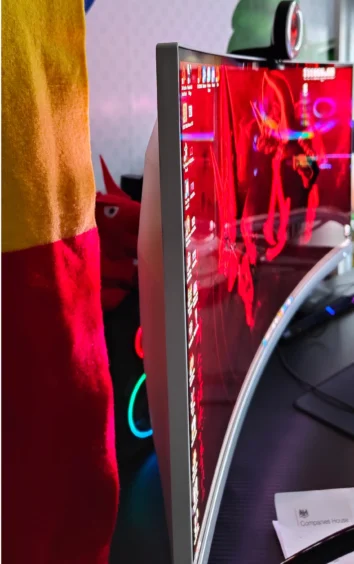
The 1800R curve helps more than you think. It’s not aggressive or gimmicky. It just gently wraps the edges toward you so you’re not turning your head to read UI elements in the corners. After long sessions, that subtle curve reduces the “flat wall of pixels” feeling.
So yes — ultrawide has limitations. Some games won’t play ball. Some UI designs clearly weren’t built for it. But when everything lines up, 3440×1440 at 34 inches feels like a near-perfect balance between performance, immersion and practicality.
Gaming at 175Hz – Where It Actually Makes a Difference
On paper, 175Hz doesn’t sound as flashy as 240Hz or 360Hz. It’s not chasing esports headline numbers. But in real-world use, paired with OLED response times, it feels seriously clean.
I tested it across a mix of titles because refresh rate only tells part of the story.
In Fortnite, fast camera flicks and quick builds feel razor sharp. There’s no blur trail following movement. When you swing your aim across the screen, it stays crisp rather than smearing slightly like many IPS panels still do.
Call of Duty is where I noticed it more. Quick snap aiming, recoil control, scanning corners — the image clarity during motion just feels stable. It doesn’t break apart under speed. Combined with Adaptive Sync, there’s no tearing, no weird stutter spikes. It feels locked in.
Then there’s Battlefield, which is a different kind of test. Big maps, vehicles, explosions everywhere. When jets fly overhead or you’re sweeping the camera across a chaotic battlefield, the panel keeps up effortlessly. OLED’s near-instant pixel response means transitions between frames feel immediate rather than “blended”.
That’s the key difference. It’s not just about refresh rate — it’s about response time. IPS panels at 165Hz can still feel slightly soft in motion. This doesn’t. Everything feels tight and controlled.
And here’s the important bit: 3440×1440 at 175Hz is actually achievable without needing some £2000 GPU monster. With a strong mid-to-high range graphics card, you can hit high refresh rates in competitive titles without dropping settings into potato mode.
Would a hardcore esports professional want 240Hz+? Maybe. But for the vast majority of players — especially those balancing competitive shooters with cinematic single-player games — 175Hz at ultrawide resolution feels like a smart middle ground.
It’s smooth enough to feel premium, without tipping into diminishing returns territory.
HDR – Real Contrast, Not Just a Checkbox
I’ll be honest — I usually turn HDR off on monitors. On most mid-range panels it either looks washed out, overly bright, or just “different” in a way that doesn’t feel better.
On the Philips Evnia 34M2C8600, I didn’t turn it off.
Games that properly support HDR are where this panel really separates itself. In Assassin’s Creed Shadows, torchlight against night skies has actual depth. The glow from lanterns feels like it’s emitting light rather than just being a bright texture. Dark rooftops stay dark while highlights cut through properly.
In Styx: Blades of Greed, which leans heavily into shadow and contrast, HDR makes stealth environments feel thicker and more atmospheric. When you’re hiding in darkness, it’s true darkness. When light spills across a surface, it doesn’t flatten the surrounding scene.
That’s the difference here — this isn’t brute-force brightness HDR. It’s contrast-driven HDR. Because the blacks are genuinely black, small highlights stand out harder. Sparks, UI glows, magical effects, distant light sources — they pop because there’s no grey haze underneath them.
Now, let’s be realistic.
This isn’t Mini-LED levels of sustained brightness. If you’re gaming in a very bright room with sunlight hitting the screen, you’ll notice that OLED doesn’t push retina-searing full-screen brightness. That’s a limitation of the technology.
But in a normal indoor setup — especially in the evening — it looks fantastic. Balanced. Controlled. Cinematic rather than aggressive.
This is the first ultrawide I’ve owned where HDR doesn’t feel like a gimmick mode I switch on for five minutes and then disable. Here, it feels like part of the actual experience.
The Pixel Refresh Reality – OLED Ownership Isn’t Passive
Now let’s talk about the part that most glossy reviews either rush past or bury in a footnote.
This is OLED. That means panel care is part of the experience.
Every few hours of cumulative use, the monitor will prompt you to run a pixel refresh cycle. When you confirm it, the screen goes black for a few minutes while it does its thing in the background. No visuals. No multitasking. You wait.
The first time it happened, I genuinely thought something had crashed. It feels odd if you’re not expecting it. But it’s not a fault — it’s preventative maintenance designed to minimise burn-in and keep the panel healthy long term.
Is it long? No. It’s a few minutes.
Is it annoying if it pops up mid-game? Absolutely.
If you’re halfway through a Call of Duty session or deep into something atmospheric like Dead Space, that prompt can feel like someone tapping you on the shoulder saying, “Right, break time.”
Over time though, you adapt. I’ve started manually triggering it when I’m grabbing a drink, replying to a message, or stepping away from the desk. It becomes part of the routine rather than an interruption.
There’s also the background pixel shift and other panel protection features running quietly that you barely notice during use. Philips has clearly built in multiple layers of protection, and that does give some reassurance.
The reality is simple: OLED image quality comes with responsibility. You can’t treat it like an old IPS panel that you leave on static content for ten hours straight without thinking.
But for the contrast, depth and clarity you get in return? For me, it’s a fair trade
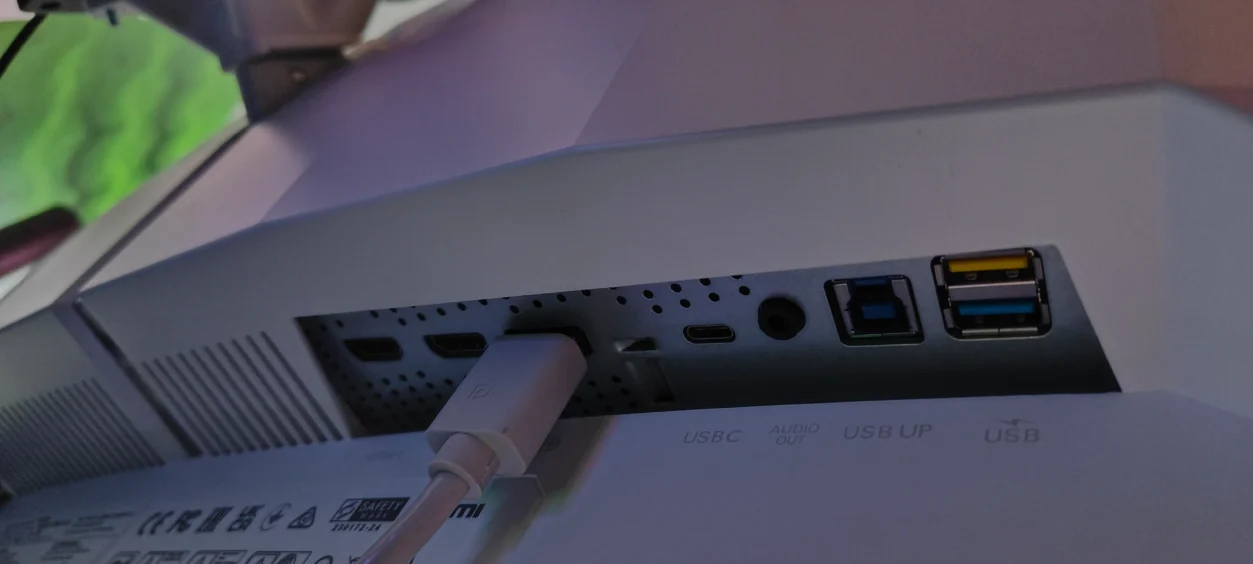
Controls – Just Don’t Bother With the Back Buttons
Let me get this out of the way: the physical joystick and rear buttons on the Evnia 34M2C8600 are technically functional… but using them feels like punishment. Navigating menus with that tiny stick is awkward, slow, and clunky — it’s like stepping back five years in UI design. Adjusting brightness, switching presets, or tweaking colour settings with it is frustrating at best, maddening at worst.
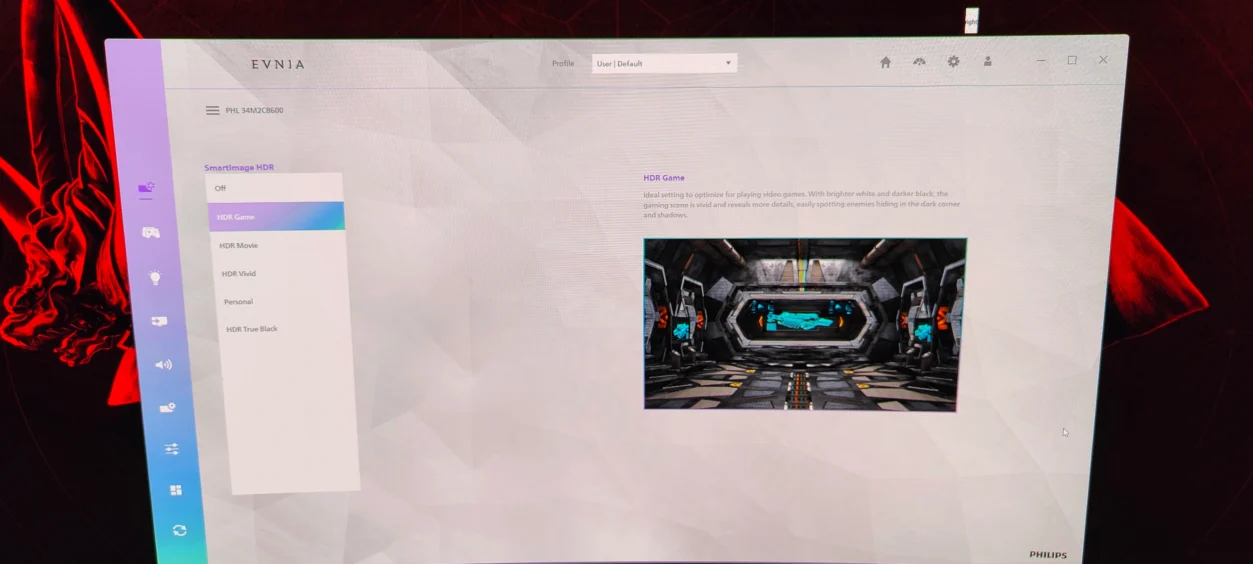
I wasted a good ten minutes trying to find the right colour profile for Dead Space using the back controls before I gave up and installed Philips Precision Center on my PC. That was a game-changer. Suddenly, brightness sliders made sense. Presets were just a click away. HDR toggles and colour adjustments could be done while the game was running. I could fine-tune without pausing or waving my arms behind the monitor.
Once you use the software, going back to the rear joystick feels almost absurd. It genuinely transforms the ownership experience. Honestly, it’s not just a convenience — for anyone who actually wants to tweak their display, it’s mandatory.
Build & Design – Subtle, Solid, and Surprisingly Premium
The Evnia 34M2C8600 isn’t trying to shout “gamer!” in neon lights — and that’s refreshing. The design is clean, a little unconventional, but in a way that feels intentional rather than over-the-top. Personally, I like that it doesn’t dominate the desk visually. It sits there like it belongs, rather than like it’s screaming for attention.
The stand deserves a mention. It’s not some flimsy gimmick. Height, tilt, and swivel all move smoothly without wobble, and the panel feels rock-solid in place. Pick it up, shift it, nudge it — nothing creaks, nothing flexes. You can tell Philips spent time on build quality here, even if the aesthetics aren’t flashy.
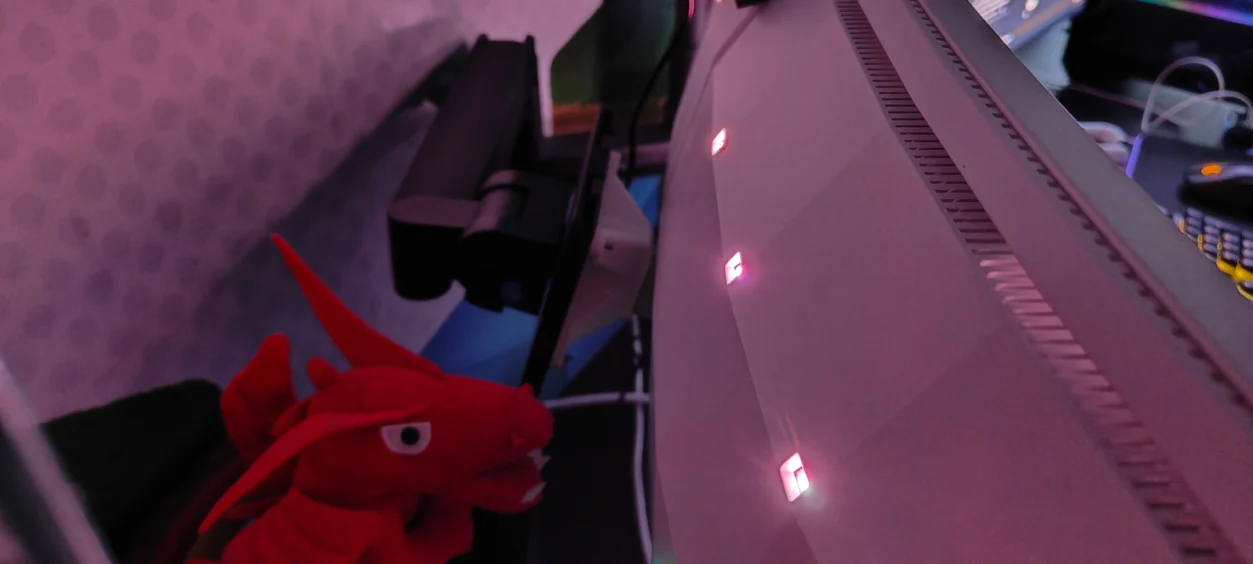
Then there’s Ambiglow on the back. Subtle is the word. It doesn’t compete with the game, but in darker rooms it adds a soft halo that really draws you in. I noticed it most when playing Styx: Blades of Greed — the light bouncing off the wall behind the monitor added an almost cinematic depth to the environment. Not essential, sure, but it’s a nice touch that makes the setup feel considered rather than purely functional.
Overall, it feels like a premium monitor you can live with. Not fragile, not overstated, not gimmicky — just solid, functional, and with enough personality to feel like it belongs on your desk rather than in a showroom.
Living With It – The Honest Take
After a few weeks of using the Philips Evnia 34M2C8600, what really hits me isn’t one standout spec or feature. It’s the consistency of the experience. Every time I sit down, whether I’m sneaking through the shadows in Styx: Blades of Greed, storming battlefields in Call of Duty, or exploring the moody corridors of Dead Space Remake, the picture quality just works. Blacks are deep. Highlights pop without overwhelming. Motion is smooth and clean, even in the chaos of 175Hz gameplay.
It’s also worth being honest about the compromises. OLED maintenance is a reality — the pixel refresh cycles and careful use with static UI are part of life here. Not a deal-breaker, but something you notice if you’re in the middle of a long session. Some games still don’t fully support ultrawide, so you get black bars or stretched side elements, which is slightly jarring. And those back buttons? Forget them. The software makes all the difference.
But here’s the thing: once you’ve experienced proper contrast, true blacks, and HDR that actually improves immersion — in games like Assassin’s Creed Shadows or No Rest for the Wicked — it’s hard to imagine going back to an IPS panel. Even when a game doesn’t fully use 21:9, the sense of depth, colour fidelity, and motion clarity still makes the screen feel alive. The Evnia doesn’t just display your games; it enhances them in ways that you notice subconsciously over time.
At the end of the day, if you care more about immersion, atmosphere, and image quality than chasing the absolute highest refresh rate number, this monitor makes a compelling case. It’s not perfect — nothing is — but it rewards attention, care, and patience with an experience that’s genuinely hard to beat in the ultrawide space.
Final Thoughts – Worth Every Pixel
The Philips Evnia 34M2C8600 isn’t perfect — no monitor is. But this one comes closer than almost anything I’ve used in recent years.
Once you’ve spent a few hours sneaking through the shadows of Styx: Blades of Greed, storming chaotic battlefields in Battlefield or Call of Duty, or wandering through the haunting corridors of Dead Space Remake, it hits you: true blacks and vibrant colours aren’t just marketing buzzwords. They change how you see every game. Shadows have weight. Highlights pop without feeling fake. Motion stays sharp, immersive, and clean. Even HDR finally feels like it belongs.
Yes, there are compromises — pixel refresh interruptions, games that don’t fully support ultrawide, fiddly back buttons if you don’t use the software. But honestly? Those are small annoyances compared to what you gain. The sense of immersion, the depth, the pure satisfaction of seeing a scene rendered the way it should be — that’s priceless.
If you care about image quality, cinematic depth, and a gaming experience that truly pulls you in, this monitor delivers in a way IPS or VA panels simply can’t. It’s not about chasing the highest refresh rate. It’s about living inside the game. And on that front, the Evnia 34M2C8600 is a masterclass.
Philips Evnia 34M2C8600 The Unboxing
Read more awesome reviews >>here<<.
The game was provided to us for the express purpose of reviewing.
The review was written by me and edited by my partner.




You must be logged in to post a comment.