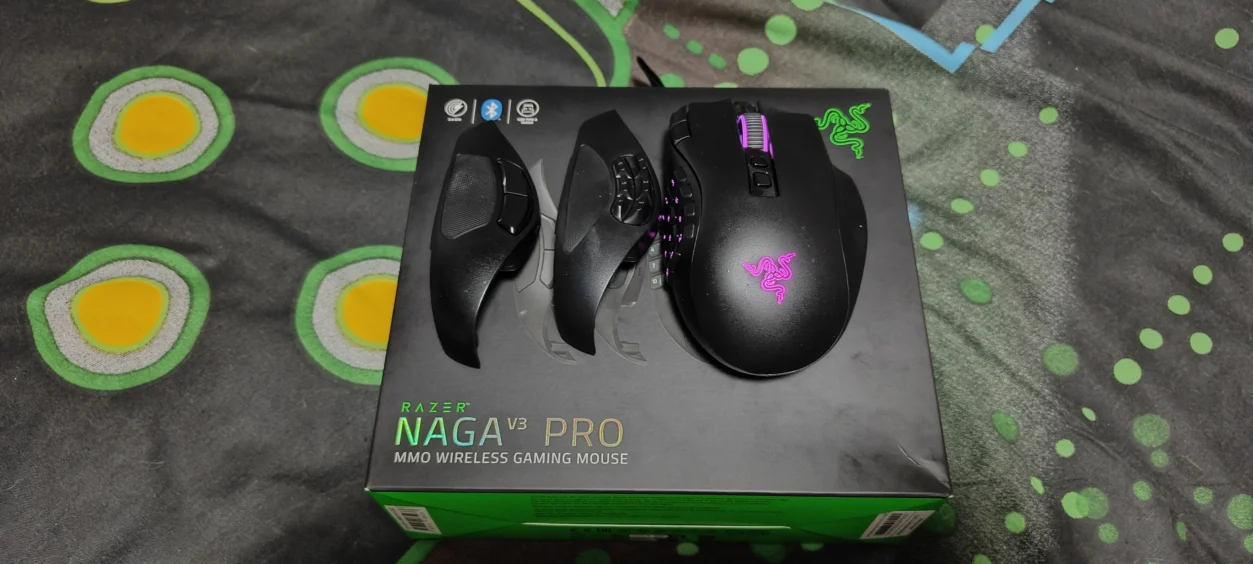
There are gaming mice, and then there are gaming mice that seem to have been designed after someone decided that the keyboard simply wasn’t doing enough. The Razer Naga V3 Pro is very much in the latter category.
The Naga has always been associated with MMO gaming, and that reputation has been built around one very obvious feature: buttons. Lots and lots of buttons. The new Naga V3 Pro takes that idea further while also trying to make the mouse useful outside of the MMO world.
I’ve been using the Naga V3 Pro with the Razer HyperFlux V2 Wireless Charging System, giving the mouse a dedicated charging surface as well as its wireless connection. My main MMO test has been World of Warcraft Forever, using the 12-button MMO attachment, but I’ve also used it with Control Resonant, Warcraft 3 and Onimusha: Way of the Sword.
That selection is deliberate. Anyone can tell you that an MMO mouse has lots of buttons. The more interesting question is whether those buttons and the overall design still make sense when you leave an MMO behind.
What Is the Razer Naga V3 Pro?
The Razer Naga V3 Pro is a premium wireless gaming mouse designed primarily around MMO gaming, but Razer has built considerably more flexibility into this generation.
At its heart is Razer’s Focus Pro 50K Optical Sensor Gen-3, capable of up to 50,000 DPI, up to 930 IPS and 90G acceleration. It also uses Razer’s Gen-4 Optical Mouse Switches, rated for more than 100 million clicks. Those are numbers that go well beyond what most gamers will realistically need, but they demonstrate that this isn’t a mouse built around dated internal hardware.
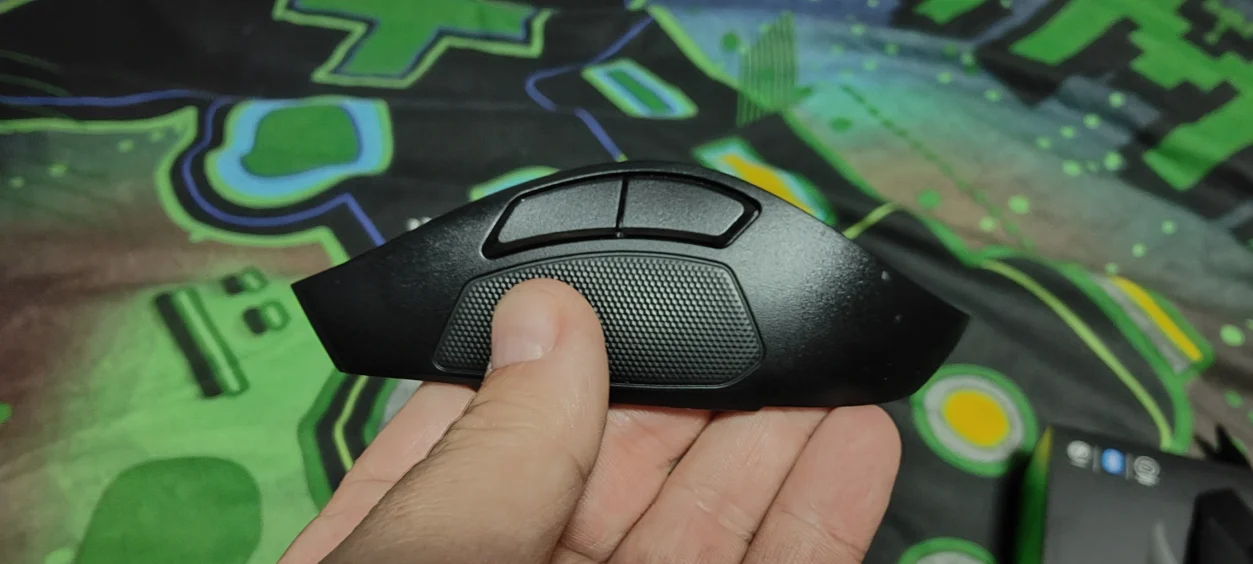
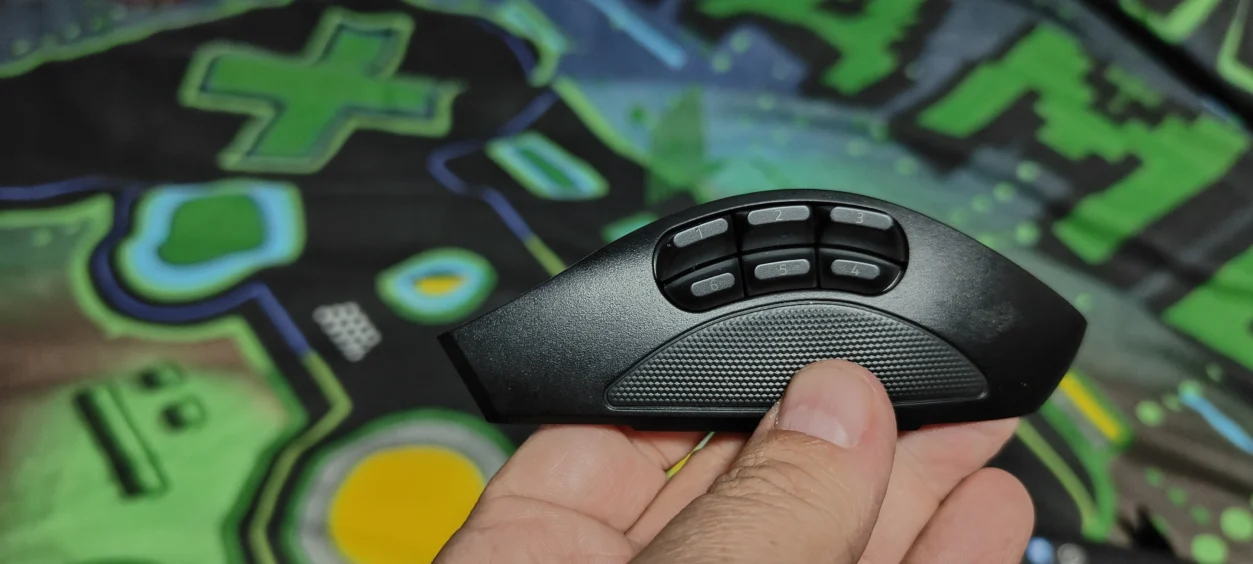
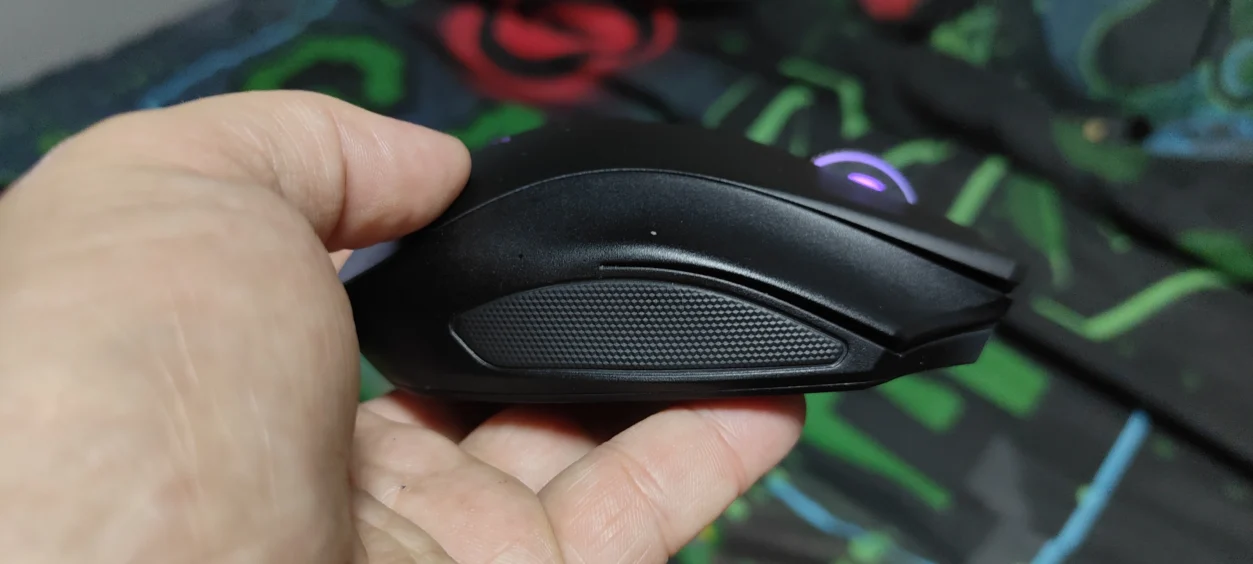
The Naga V3 Pro is also modular. Three magnetic side plates are supplied, giving you a 12-button MMO layout, a 6-button layout and a 2-button layout. Depending on the plate installed, the mouse offers 23, 17 or 13 programmable buttons respectively.
That makes a lot more sense when you start moving between completely different types of games.

The MMO Test: World of Warcraft Forever
If there is one game where the Naga V3 Pro should immediately make sense, it is World of Warcraft Forever.
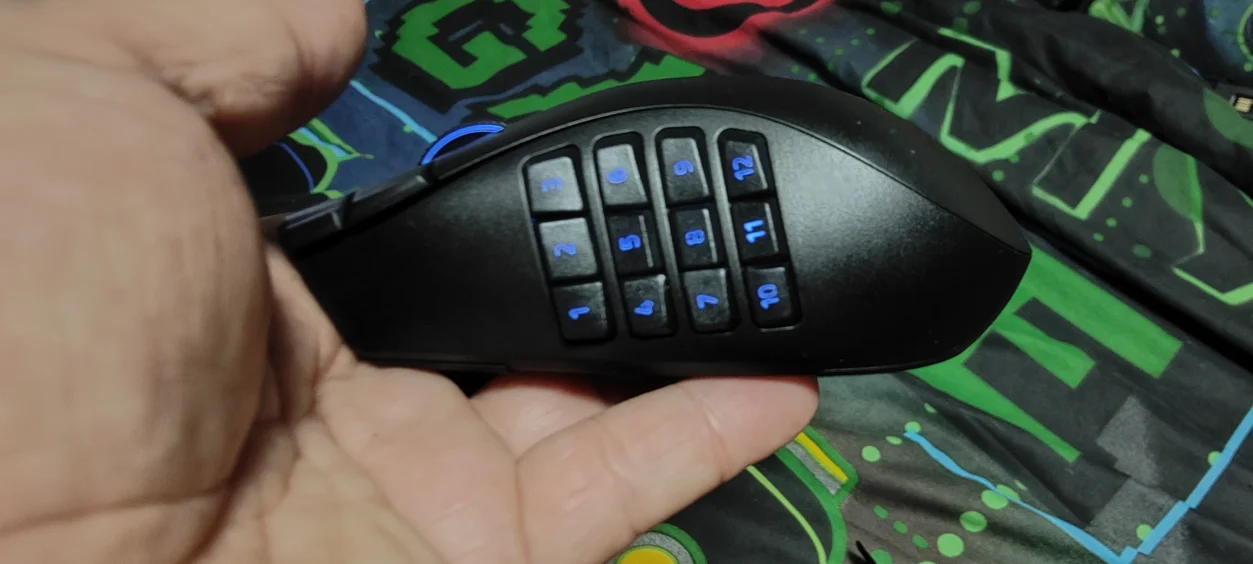
Using the 12-button MMO side plate is where the Naga’s design really comes into its own. Having a bank of buttons sitting directly underneath your thumb changes how you approach ability management. Instead of constantly moving between the mouse and keyboard for every command, a much larger portion of the game’s controls can be brought directly under your right hand.
For an MMO player, that is the entire point of the Naga.
The important thing is that the 12-button layout doesn’t feel like a gimmick simply designed to give Razer something impressive to put on the box. In an MMO, there are enough abilities, commands, inventory functions and other actions to justify having considerably more inputs available than a conventional gaming mouse provides.
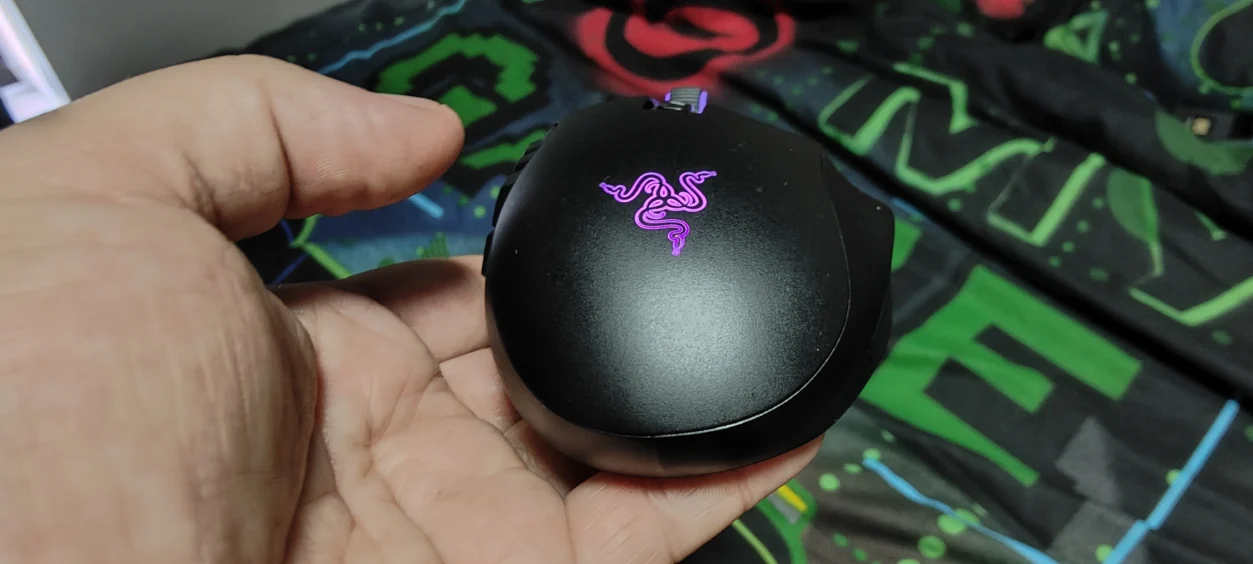
Razer has also retained the classic Naga shape, including the right-hand ergonomic design and finger-rest arrangement. The 12-button side plate does add weight, with Razer listing the mouse at approximately 117g before the side plate and the 12-button panel adding around 20g.
This isn’t an ultra-light competitive FPS mouse, and it isn’t pretending to be one. The Naga V3 Pro is about control, accessibility and having the right command available when you need it.
But What About Games That Aren’t MMOs?
This is where the Naga V3 Pro becomes more interesting.
I’ve also been using it with Control Resonant and Onimusha: Way of the Sword, two games where you aren’t going to need a twelve-button MMO keypad sitting underneath your thumb.
This is precisely why those interchangeable side panels exist.
Instead of being permanently stuck with the MMO configuration, the Naga can be changed over to its smaller layouts. Razer uses magnetic connections for the panels, meaning changing the physical configuration is straightforward rather than requiring tools or a trip into the depths of the desk drawer.
With a more conventional button layout installed, the Naga becomes much closer to a traditional gaming mouse. You still have the same sensor, switches, scroll wheel and core shape, but you’re no longer trying to navigate a miniature keyboard every time you move your thumb.
For games such as Onimusha: Way of the Sword, that makes considerably more sense. This is an action game rather than an MMO, so the advantage isn’t having twelve thumb buttons. It is having a mouse that doesn’t force you to use twelve thumb buttons simply because they’re there.
Control Resonant provides another useful test because it puts more emphasis on general movement, aiming and combat rather than the enormous collection of hotkeys you would expect from an MMO.
The result is that the Naga V3 Pro doesn’t have to remain an MMO mouse all the time. That modularity is probably one of the biggest practical improvements to the Naga concept.
Warcraft 3 Shows Another Side of the Naga
Warcraft 3 is perhaps an even more interesting test because RTS games sit somewhere between the worlds of conventional mouse control and MMO-style key management.
There are plenty of commands, unit selections and actions to think about, and having additional programmable controls available can be useful without needing to turn the mouse into a full twelve-button keypad.
This is where the Naga’s flexibility starts to make sense. You don’t necessarily buy it because every game you own needs 23 programmable buttons. You buy it because you can configure the mouse around the game you’re currently playing.
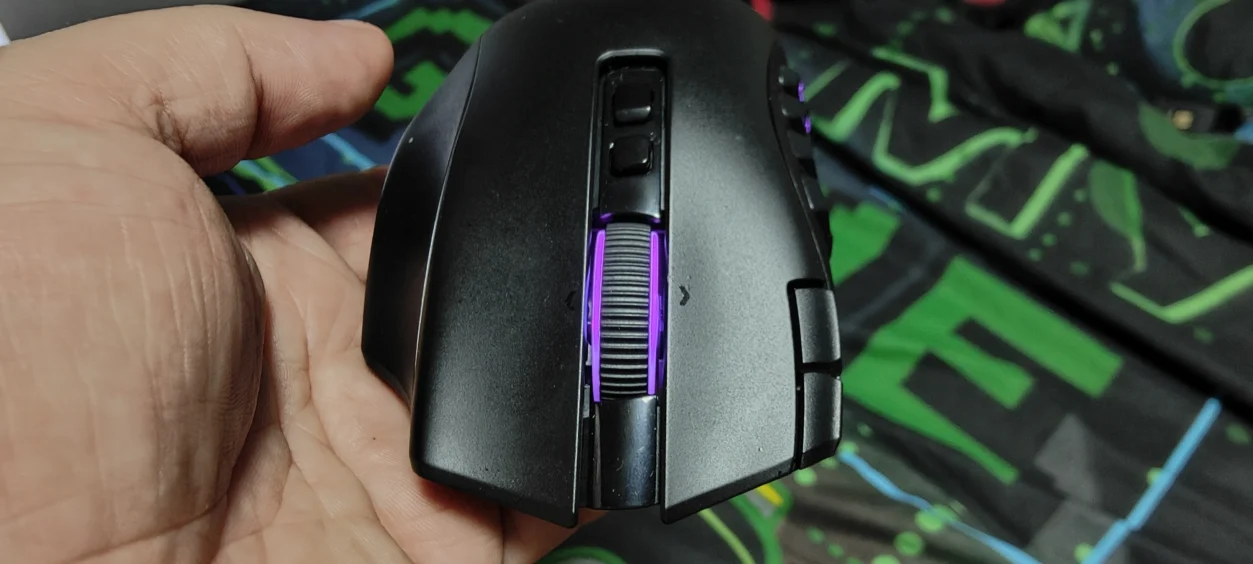
The HyperScroll Tilt Wheel Gen-2
Razer has also upgraded the scroll wheel on the Naga V3 Pro.
The HyperScroll Tilt Wheel Gen-2 provides 24-step tactile scrolling, 48-step precision tactile scrolling, free-spinning operation and Smart-Reel mode. The wheel can also tilt left and right, adding further inputs.
Smart-Reel is particularly interesting because it can automatically move between tactile and free-spin behaviour depending on how quickly you scroll. That makes the wheel considerably more versatile than a basic mouse wheel, particularly when moving between gaming and general desktop use.
And yes, there is something slightly ridiculous about needing four different scroll modes on a mouse.
But this is the Naga. Ridiculous levels of customisation are basically part of the job description.
Wireless Performance and the HyperFlux V2
For this review, the Naga V3 Pro isn’t being used in isolation. I’m using it with the Razer HyperFlux V2 Wireless Charging System, and this changes the wireless experience considerably.
The Naga V3 Pro supports HyperSpeed Wireless, Bluetooth and USB-C wired connectivity. Razer currently quotes up to 155 hours over HyperSpeed Wireless and up to 280 hours over Bluetooth under its standard test conditions.
But when you combine it with HyperFlux V2, battery life becomes a much less interesting thing to worry about.
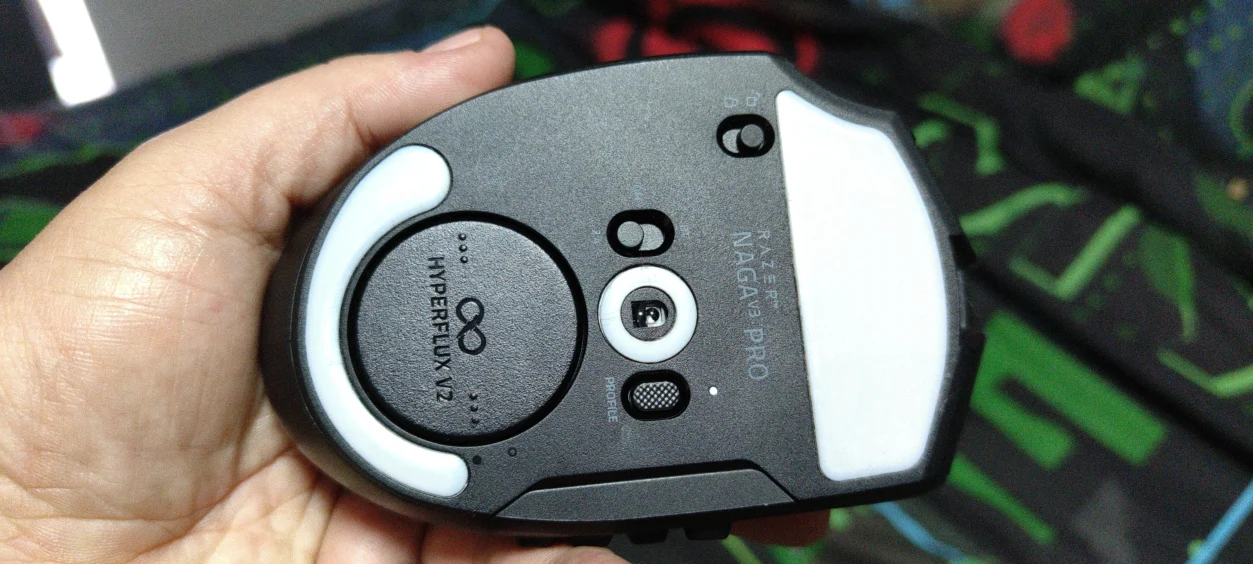
The HyperFlux V2 uses a dedicated wireless charging puck installed underneath the mouse. Once the mouse is on the compatible charging surface, it can continuously receive power while you use it. The mat also acts as the wireless transceiver, giving the setup a particularly clean wireless arrangement.
That means the traditional wireless-mouse routine of suddenly discovering that you’ve forgotten to charge it disappears.
For a mouse that can be used for long MMO sessions, that is a genuinely useful feature rather than simply another item on the specification sheet.
HyperFlux V2 Is More Than Just a Charging Mat
The HyperFlux V2 is available with either a hard or cloth surface, and the system is designed specifically around compatible Razer mice and its dedicated charging puck.
The current system measures around 360mm wide by 311mm long and 5mm thick, with a built-in 1000Hz wireless transceiver. It connects to the PC through USB-C and can also support a compatible Razer HyperSpeed keyboard alongside the mouse.
The 1000Hz limitation is worth mentioning because the Naga V3 Pro itself can support polling rates of up to 8000Hz, but achieving that higher rate requires a separately sold Razer Mouse Dock Pro or HyperPolling Wireless Dongle. The HyperFlux V2 itself operates its wireless connection at 1000Hz.
For most people, 1000Hz is hardly something to complain about, especially with an MMO mouse. However, it is worth knowing if you’re buying the Naga specifically because you want every possible performance feature.
There is also a Battery Health Optimizer within Synapse 4, allowing charging to be stopped at a selected threshold between 50 and 80 percent. That is a sensible addition for anyone planning to keep the mouse on the HyperFlux surface permanently.
How Does It Feel Outside an MMO?
This is ultimately what makes the Naga V3 Pro more interesting than simply another MMO mouse.
Razer has clearly recognised that gamers don’t play one genre forever.
One day you’re spending hours in World of Warcraft Forever and wondering how you ever managed your abilities without a twelve-button mouse. The next you’re playing Control Resonant, Warcraft 3 or Onimusha: Way of the Sword and don’t need that wall of buttons at all.
The interchangeable panels give the Naga a genuine reason to exist across those different experiences.
It isn’t suddenly transformed into an ultra-lightweight esports mouse when you attach the two-button plate, but that isn’t what Razer is trying to achieve. The underlying mouse remains a relatively substantial, ergonomic gaming mouse. What changes is how much control you have immediately available to your thumb.
That distinction is important because the Naga V3 Pro is not trying to beat every mouse at every individual task. Instead, it is trying to be one mouse that can adapt to a lot of them.
Buttons, Buttons and More Buttons
Razer Naga V3 Pro has upto to 23 programmable buttons with the 12-button side panel, along with two quick-access edge buttons and a lockable ring-finger button. Five onboard memory profiles are also supported.
There is an obvious question here: do you actually need 23 buttons?
No.
But that doesn’t mean having them is pointless.
The value comes from being able to decide what you want them to do. An MMO player can load up abilities and macros. An RTS player can assign useful commands. A player jumping into a conventional action game can swap the side panel and forget that half of those buttons even exist.
And if you’re someone who likes customising peripherals, Synapse gives you an enormous amount to play with.
Razer has even included its AI Prompt Master functionality, although this is one of those features that feels considerably less important to gaming than the hardware itself. Thankfully, the Naga’s core functionality doesn’t depend on it.
What I Like About the Naga V3 Pro and HyperFlux V2
- The 12-button MMO layout is superbly suited to World of Warcraft Forever.
- Three interchangeable side plates make the mouse far more versatile than a conventional MMO mouse.
- The Focus Pro 50K Gen-3 sensor is serious high-end hardware.
- Gen-4 optical switches are rated for more than 100 million clicks.
- The HyperScroll Tilt Wheel Gen-2 adds considerable customisation.
- HyperFlux V2 removes the hassle of manually charging the mouse.
- The HyperFlux V2 can also act as the wireless receiver.
- The ergonomic Naga shape remains comfortable for extended gaming.
- Five onboard profiles make switching configurations practical.
What Could Be Better?
- The Naga V3 Pro is still a relatively substantial mouse compared with lightweight gaming mice.
- The 8000Hz polling capability requires additional hardware and isn’t available through HyperFlux V2’s own 1000Hz transceiver.
- The HyperFlux V2 is a premium accessory and makes an already expensive mouse setup considerably more expensive.
- The enormous number of buttons will be unnecessary for many gamers.
- The HyperFlux V2 is tied closely to the Razer ecosystem and its dedicated charging puck.
Is the Razer Naga V3 Pro Worth It?
The Razer Naga V3 Pro is still fundamentally an MMO mouse, and World of Warcraft Forever demonstrates exactly why the Naga design has survived for so long. That twelve-button side panel can transform the way you approach ability-heavy games.
But the big difference with this generation is that you’re no longer locked into that configuration.
Switching between the 12-, 6- and 2-button side plates means the mouse can adapt to the game rather than forcing the game to adapt to the mouse. That’s particularly useful when your gaming library includes everything from MMOs to RTS games and action titles.
Adding the HyperFlux V2 takes the setup another step further. It isn’t an essential purchase to make the Naga V3 Pro work, but once you’ve experienced a wireless mouse that charges continuously while sitting on its normal playing surface, going back to remembering to plug the mouse in feels unnecessarily old-fashioned.
The biggest issue is the price. Razer currently lists the Naga V3 Pro at £179.99 in the UK, while the HyperFlux V2 is an additional premium purchase.
That puts this firmly into enthusiast territory.
But if you’re looking for a mouse specifically because you want an enormous amount of control, rather than simply the lightest possible mouse with the fewest possible buttons, the Naga V3 Pro makes a very convincing argument for itself.
Final Verdict
The Razer Naga V3 Pro isn’t trying to follow the current trend of stripping every gaming mouse down until it weighs approximately the same as a particularly determined feather.
Instead, Razer has doubled down on what makes the Naga different.
It gives MMO players an enormous number of controls, gives other gamers the option to remove most of those buttons, and packs the mouse with modern sensor and switch technology. Add the HyperFlux V2 and you have a wireless setup where charging largely becomes something you simply stop thinking about.
After using it across World of Warcraft Forever, Control Resonant, Warcraft 3 and Onimusha: Way of the Sword, the biggest compliment I can give the Naga V3 Pro is that it doesn’t feel like a mouse that only makes sense when you’re playing an MMO.
It is expensive, it is heavier than the lightweight mice dominating parts of the gaming market, and most people absolutely do not need 23 programmable buttons.
But if you do want those buttons, the Naga V3 Pro gives you a hell of a lot of mouse for your money.
Read more awesome reviews >>here<<.
Written by myself then edited and formed by my partner.
Review Summary
What is the Razer Naga V3 Pro?
The Razer Naga V3 Pro is a premium wireless gaming mouse designed primarily for MMO gaming, with interchangeable 12-, 6- and 2-button side plates allowing it to adapt to different game genres.
What does the Razer Naga V3 Pro add?
It combines up to 23 programmable buttons with a Focus Pro 50K Gen-3 optical sensor, Gen-4 optical switches, a HyperScroll Tilt Wheel Gen-2 and HyperSpeed Wireless connectivity.
How does it perform in World of Warcraft Forever?
With the 12-button MMO side plate, the Naga V3 Pro provides a large number of easily accessible controls that suit the ability-heavy nature of World of Warcraft Forever.
Can the Naga V3 Pro be used outside MMOs?
Yes. The interchangeable side plates allow the mouse to be configured for games such as Control Resonant, Warcraft 3 and Onimusha: Way of the Sword without requiring the full 12-button MMO layout.
What is the Razer HyperFlux V2?
The HyperFlux V2 is a wireless charging mouse surface that continuously powers compatible Razer mice while they are being used and can also provide their wireless connection through its built-in 1000Hz transceiver.
Is the HyperFlux V2 worth adding to the Naga V3 Pro?
For players who want a completely wireless setup without regularly stopping to charge the mouse, HyperFlux V2 provides a convenient set-and-forget charging solution. It is an additional premium purchase, however.
Is the Razer Naga V3 Pro worth buying?
The Naga V3 Pro is particularly suited to gamers who want extensive programmable controls and the flexibility to switch between MMO and more conventional layouts. Its price and larger form factor will not suit everyone.
Disclaimer: Razer supplied the Naga V3 Pro and HyperFlux V2 for the purpose of this review. All opinions and conclusions are our own.