Gaming mice have become a little ridiculous over the years.
We have mice weighing next to nothing, mice with more DPI than anyone could realistically need, mice with enough buttons to make them look like a small gaming keypad, and mice that cost more than some decent keyboards.
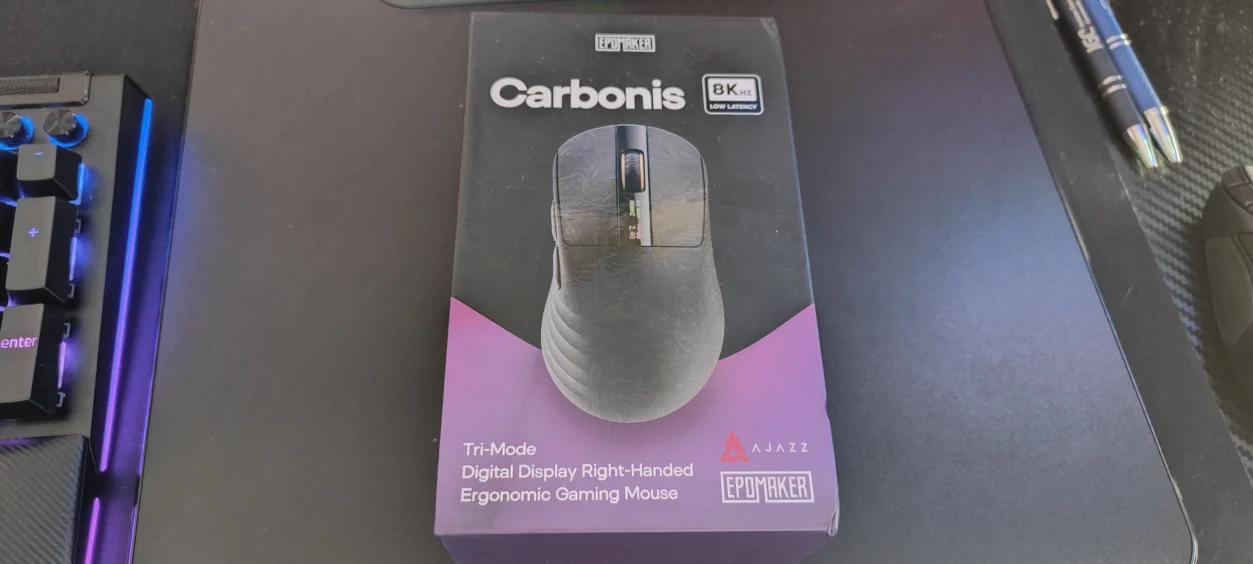
So when EPOMAKER sent over the Carbonis, I was interested to see where it fitted into all of this.
On paper, it certainly has plenty going for it. The Carbonis combines a 50g carbon-fibre composite shell with a PixArt PAW3950 sensor, up to 8,000Hz polling, optical switches, tri-mode connectivity and, rather unusually, a small LCD display built directly into the top of the mouse.
It sounds like EPOMAKER has simply thrown every current gaming-mouse buzzword at it.
Thankfully, after spending time using it, the Carbonis turns out to be considerably more interesting than that.
I have been using it across a mixture of games, including Mortal Shell 2, Box Knight, Star Wars Zero Company and Assassin’s Creed IV: Black Flag, as well as general Windows use. That mixture actually proved useful because these games demand very different things from a mouse.
Fast movement and precision are important in some, while comfort, control and general usability matter more in others.
And that is where the Carbonis starts to make sense.
What Is the EPOMAKER Carbonis?
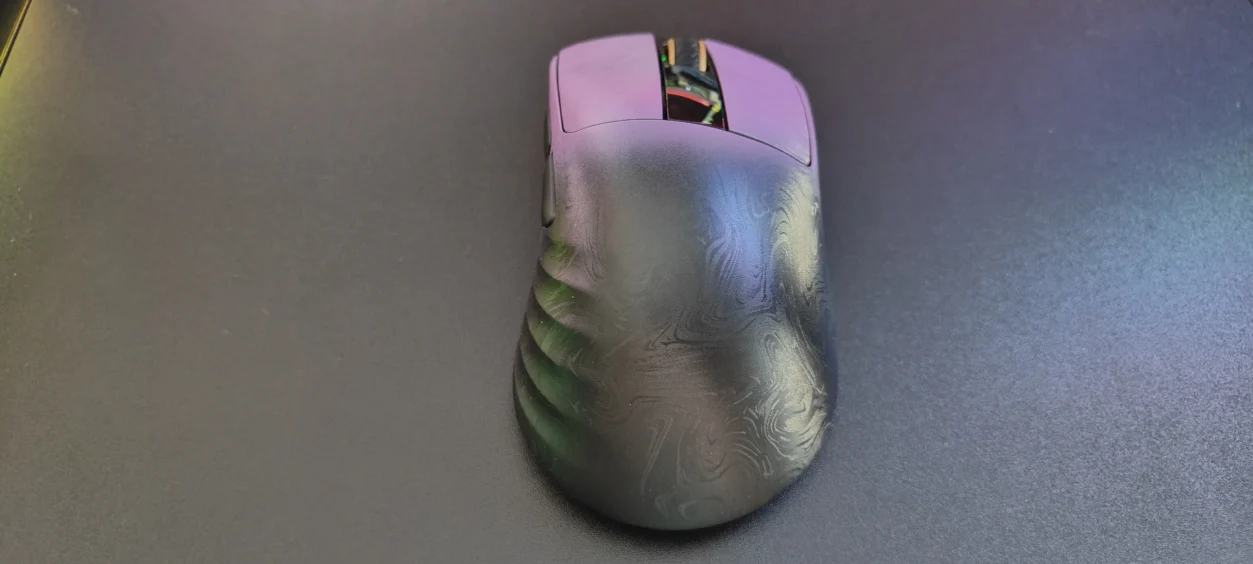
The EPOMAKER Carbonis is a right-handed wireless gaming mouse designed primarily for medium-to-large hands.
Its headline feature is arguably the carbon-fibre composite construction, which allows EPOMAKER to keep the mouse down to approximately 50 grams without resorting to the heavily perforated honeycomb design that has become common on lightweight gaming mice.
Underneath that shell is a PixArt PAW3950 optical sensor capable of up to 30,000 DPI, while the Nordic MCU allows the mouse to operate at up to 8,000Hz polling over 2.4GHz wireless or USB.
It also supports Bluetooth 5.0, giving you three ways of connecting the mouse.
Then there is that little screen.
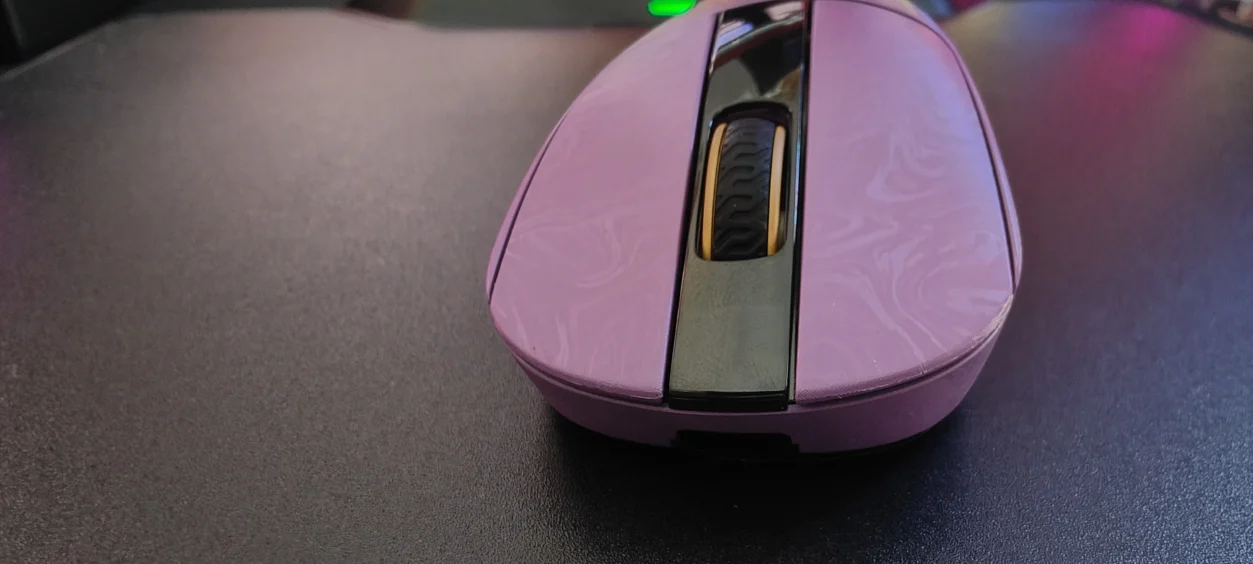
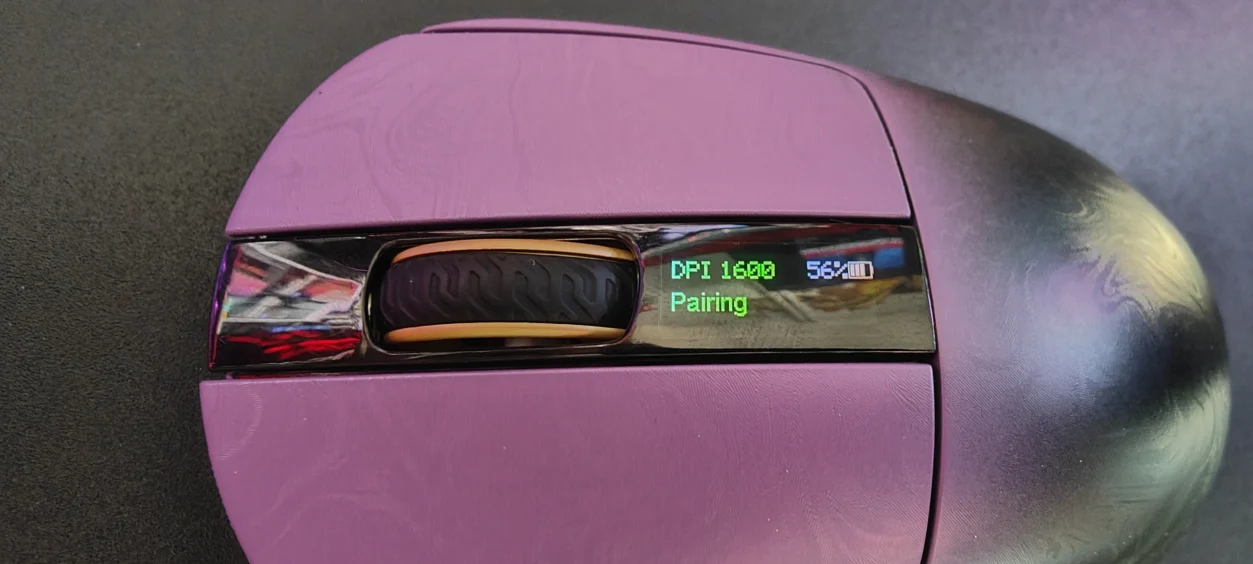
The integrated glass LCD displays the current DPI, polling rate, connection mode and battery status. EPOMAKER has even allowed some settings to be changed directly from the mouse rather than forcing you to install a traditional desktop application.
That is quite a specification list for a mouse sitting around the $90 mark.
Design and Build Quality
The first thing that struck me about the Carbonis was just how light it feels.
At approximately 50g, picking it up almost feels wrong if you are accustomed to a conventional gaming mouse.
There is no need for holes all over the body either.
Instead, EPOMAKER has used a carbon-fibre composite shell, giving the Carbonis a much more conventional appearance while still achieving that extremely low weight.
That is something I particularly appreciate.
I have nothing against honeycomb mice, but after a while they can start looking almost identical. The Carbonis manages to look like a proper gaming mouse rather than a piece of lightweight engineering that happens to have buttons attached to it.
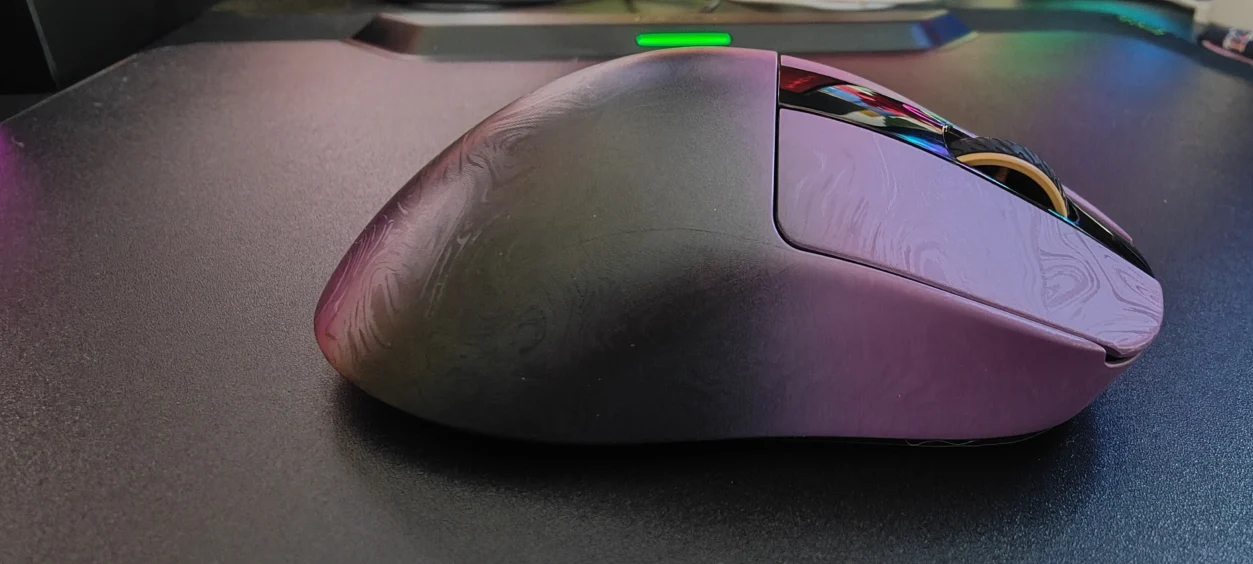
The carbon-fibre finish also gives the mouse a distinctive appearance.
It isn’t trying to cover the entire thing in RGB lighting or make it look like a spaceship. Instead, the material and shape do most of the visual work.
It also feels reassuringly rigid.
Despite the low weight, the shell doesn’t give the impression that you need to treat the mouse like fragile equipment. EPOMAKER specifically designed the surface to resist sweat and fingerprints while providing additional grip.
Right-Handed Ergonomics
There is an important caveat here.
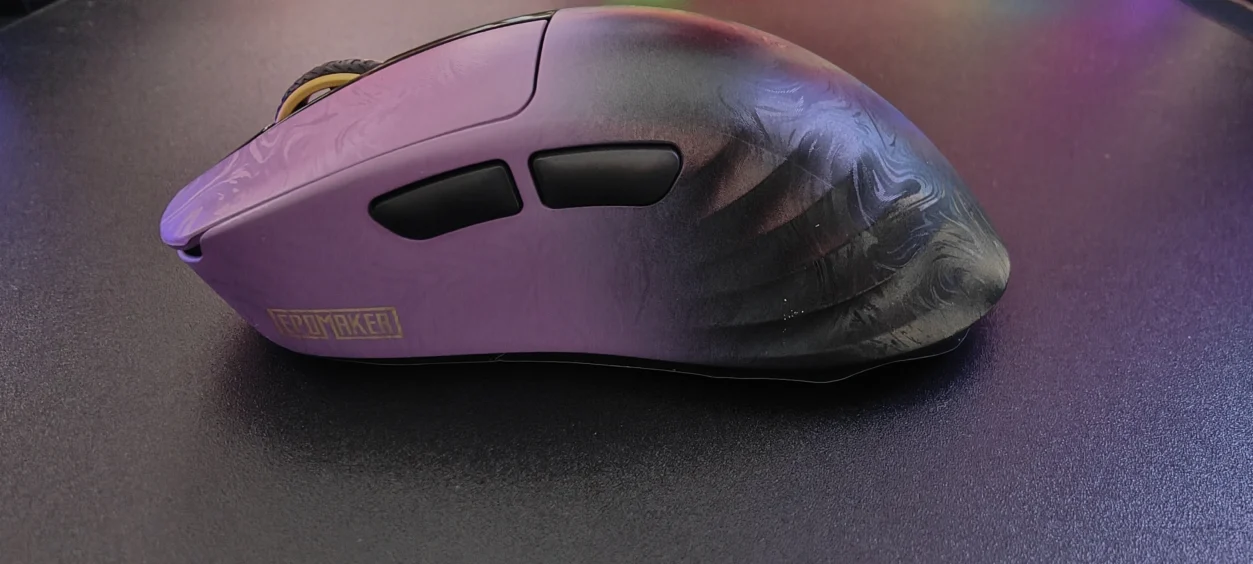
The Carbonis is right-handed only.
This isn’t an ambidextrous mouse that happens to be slightly more comfortable for right-handed users. The entire shape has been designed around the right hand.
For me, that works.
The shape gives your hand somewhere natural to rest, while the main buttons and side buttons are positioned where I would expect them to be.
EPOMAKER says the mouse is intended for medium-to-large hands, and I would agree that this isn’t really the mouse I’d recommend if you have particularly small hands.
Grip style will obviously make a difference, but the Carbonis feels most natural when you allow your hand to sit into the contours rather than trying to use it purely with your fingertips.
The 50g Difference
Weight is one of those specifications that sounds impressive on paper but doesn’t always translate into a meaningful difference.
Here, it does.
Moving from a heavier mouse to the Carbonis is immediately noticeable.
There is considerably less resistance when changing direction, particularly when making larger movements across a mouse mat.
This was particularly apparent when playing Mortal Shell 2, where camera movement and quick changes in direction benefit from having something that doesn’t feel like it is dragging behind your hand.
It also works nicely in Assassin’s Creed IV: Black Flag.
Black Flag isn’t exactly a competitive FPS, so you don’t need an 8,000Hz mouse to play it, but the combination of a lightweight body and accurate sensor makes moving around the game world feel effortless.
The Carbonis simply gets out of the way.
And that’s probably the biggest compliment I can give it.
Gaming Performance
This is where the Carbonis needs to justify its specifications.
Because having a 30,000 DPI sensor and 8,000Hz polling rate sounds fantastic, but none of that matters if the mouse doesn’t actually feel good.
Fortunately, the Carbonis performs extremely well.
Mortal Shell 2
Mortal Shell 2 was one of the more interesting games to test the Carbonis with.
Action RPGs don’t necessarily require an esports mouse, but they do benefit from accurate camera control and quick reactions.
The lightweight construction worked particularly well here.
Moving the mouse quickly for camera adjustments felt natural, and the PAW3950 sensor provides the sort of precise tracking you would expect from a modern flagship sensor.
I also didn’t experience the sensation of the cursor feeling disconnected from my hand.
Everything felt immediate.
That is something that can be surprisingly difficult to describe until you switch back to a heavier or less responsive mouse.
Star Wars Zero Company
With Star Wars Zero Company, things change again.
A strategy game isn’t going to make you appreciate 8,000Hz polling in the same way that a competitive FPS might.
What you do appreciate is the combination of accuracy, low weight and comfortable control.
Moving around the battlefield and selecting units felt precise, while the lightweight body made moving around the screen extremely easy.
It is a good example of why I don’t think the Carbonis should be considered purely an esports mouse.
It is capable of being one, but it is also a very good general-purpose gaming mouse.
Assassin’s Creed IV: Black Flag
Then there is Assassin’s Creed IV: Black Flag.
This is probably the least demanding game from a mouse-performance perspective, but it was useful for seeing whether the Carbonis was actually pleasant to use outside of situations where milliseconds matter.
It is.
Exploring, navigating menus, controlling the camera and simply playing the game for longer periods all felt comfortable.
And because the mouse is so light, it never felt like something I had to consciously think about.
That’s important.
A gaming mouse shouldn’t become part of the game.
PAW3950 Sensor
The sensor inside the Carbonis is the PixArt PAW3950, one of the headline components of the mouse.
It offers up to 30,000 DPI, 750 IPS tracking and up to 50G acceleration according to EPOMAKER’s specifications.
Of course, nobody buying this mouse should feel compelled to use 30,000 DPI.
I certainly wouldn’t recommend it.
For normal gaming, much lower DPI settings make considerably more sense.
The important thing is that the sensor provides a huge amount of headroom and, more importantly, accurate tracking at sensible settings.
The Carbonis also offers six predefined DPI stages:
- 400 DPI
- 800 DPI
- 1,600 DPI
- 3,200 DPI
- 6,400 DPI
- 30,000 DPI
You can configure the mouse through EPOMAKER’s online software as well.
8,000Hz Polling Rate
8,000Hz polling is another big selling point.
The Carbonis can operate at 1,000Hz, 2,000Hz, 4,000Hz or 8,000Hz when connected through 2.4GHz wireless or USB.
At 8,000Hz, the theoretical report interval is just 0.125ms, compared with 1ms at 1,000Hz.
Independent testing of the Carbonis also found stable behaviour at 1,000Hz and consistent operation at 8,000Hz, although browser-based polling tests naturally have their own limitations.
But here’s my slightly controversial take:
Don’t automatically run it at 8,000Hz.
For competitive gaming on suitable hardware, it can make sense.
For everyday gaming, 1,000Hz is perfectly good.
Higher polling also means more work for the system and can have an impact on battery life.
For games such as Assassin’s Creed IV: Black Flag and Star Wars Zero Company, you’re unlikely to notice a meaningful difference between 1,000Hz and 8,000Hz.
For an enthusiast gaming setup, however, having the option is certainly nice.
The LCD Display
The little LCD screen is probably my favourite feature of the Carbonis.
Not because it is essential.
It isn’t.
But because it is genuinely useful.
The screen can show:
DPI, polling rate, battery level and connection mode.
That means you don’t have to open software just to find out what setting the mouse is currently using.
Even better, the mouse can change DPI and polling rate directly, meaning you can make adjustments without relying entirely on the software.
The display also turns off while the mouse is moving and wakes after approximately three seconds of inactivity, which helps conserve power.
It is one of those features that initially feels like a gimmick but quickly becomes something you appreciate.
Connectivity
The Carbonis supports three connection methods:
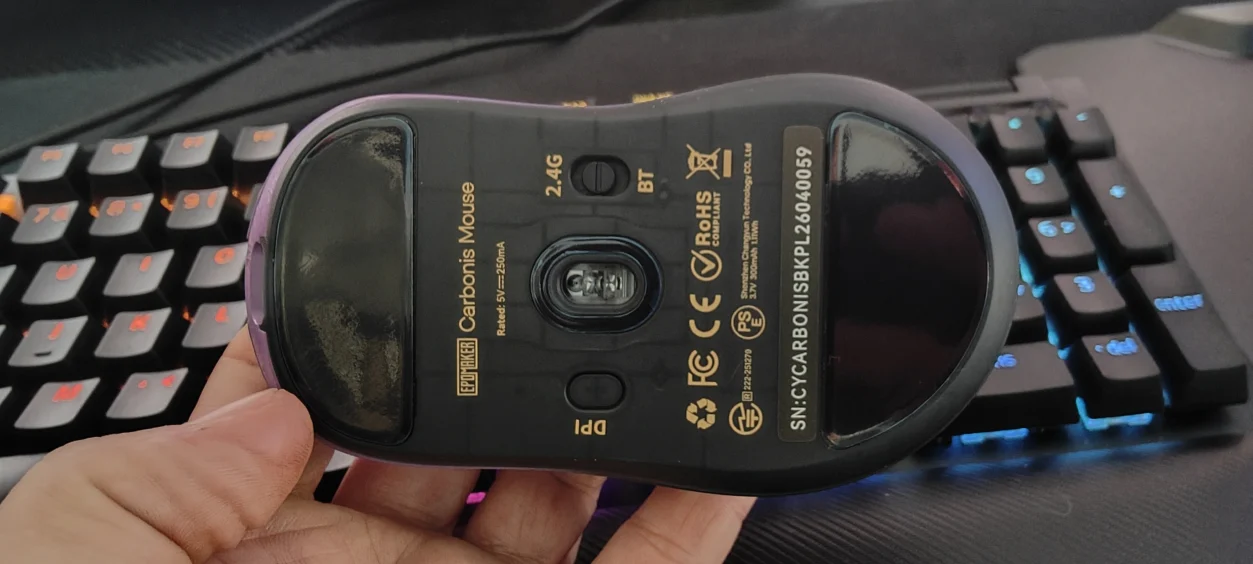
2.4GHz wireless, Bluetooth 5.0 and USB-C wired.
The included 2.4GHz receiver is the obvious choice for gaming.
This provides the low-latency wireless connection you want without having to run a cable across your desk.
Bluetooth is more useful when connecting to other devices such as laptops or tablets.
There is also a USB-C connection for wired use and charging.
According to EPOMAKER, the claimed latency is approximately 0.3ms wired, 0.375ms over 2.4GHz wireless, and around 8ms using Bluetooth. Bluetooth is therefore clearly intended more for convenience than competitive gaming.
Battery Life and Charging
Inside the Carbonis is a 300mAh rechargeable battery.
EPOMAKER states that a full charge takes less than an hour.
I like the fact that the battery information is displayed directly on the mouse.
This sounds trivial until you’ve used a wireless mouse where you have no idea how much battery remains until an application tells you.
With the Carbonis, a quick glance gives you the information.
The downside is that running at higher polling rates will inevitably make greater demands on the battery.
Again, 8,000Hz is a feature rather than a requirement.
If battery life is more important to you than squeezing every last millisecond out of the mouse, I’d stick with 1,000Hz.
Optical Switches
The main buttons use optical switches, which is another sensible choice for a modern gaming mouse.
Optical switches avoid some of the traditional problems associated with mechanical mouse switches, particularly the potential for mechanical contact degradation and double-click issues over time.
They also contribute to the fast response characteristics EPOMAKER is aiming for.
More importantly, I found the clicks responsive without feeling excessively heavy.
There is enough feedback to make each click feel deliberate, but they don’t require you to put unnecessary force into every button press.
That becomes more important during longer sessions.
The Side Buttons
The Carbonis provides five programmable buttons in total, with the left click reserved for its standard function.
That isn’t an enormous number, but I actually think this is a good thing.
For an MMO player looking for a dozen or more additional inputs, this obviously isn’t going to compete with something like a multi-button MMO mouse.
But for general gaming, FPS, RPG, strategy and adventure games, the button arrangement feels sensible.
There are enough controls to add useful shortcuts without turning the side of the mouse into a keypad.
Software
Another interesting decision from EPOMAKER is the software.
Rather than forcing you to install a traditional application, the Carbonis uses browser-based software.
That means you can configure the mouse without downloading a large driver package.
You can adjust things such as DPI, polling rate, sleep behaviour, lift-off distance, motion synchronisation and high-speed mode.
There is also support for macros and shortcuts.
The one thing to be aware of is that EPOMAKER recommends using a Chrome-based browser to ensure all features are displayed correctly.
Personally, I like the idea of web-based peripheral software.
It keeps the PC cleaner and avoids another application permanently sitting in the background.
Everyday Use
One of the biggest strengths of the Carbonis is that it doesn’t feel like a mouse that only makes sense when you’re playing competitive games.
I’ve used it for gaming, browsing and general desktop use, and the 50g weight makes a noticeable difference.
Dragging the mouse around a desktop feels effortless.
Moving between windows is quick.
And after several hours of use, I found myself appreciating the low weight more than the 8K polling rate.
That is probably worth emphasising.
The Carbonis’ most impressive specification isn’t necessarily its most important feature.
The 8K polling gets the headline.
The PAW3950 gets the enthusiast’s attention.
But the 50g weight and comfortable shape are what you’ll notice every single day.
What I Like
There is quite a lot to like here.
The 50g weight is fantastic without requiring a hole-filled shell.
The carbon-fibre composite construction gives the mouse a distinctive appearance while keeping the weight down.
The PAW3950 sensor is more than capable for practically any gaming situation.
The 8,000Hz polling rate gives competitive gamers plenty of headroom.
The LCD display is genuinely useful rather than purely decorative.
The tri-mode connectivity makes it flexible enough to use across multiple devices.
The optical switches provide fast and responsive clicks.
And the web-based software means I don’t have to install yet another application on my PC.
What Could Be Better?
It isn’t perfect.
The biggest limitation is the right-handed-only design.
That’s unavoidable given the ergonomic shape, but left-handed gamers are immediately excluded.
I’d also like to see more information around real-world battery endurance at different polling rates.
The difference between running at 1,000Hz and 8,000Hz can be significant for wireless peripherals, so battery-life figures broken down by polling rate would be useful.
The LCD is clever, but some people simply won’t care about it.
If you’re looking for the absolute simplest lightweight mouse possible, you could argue that the display adds complexity without providing something essential.
And while the five-button configuration works well for general gaming, MMO players are going to want considerably more inputs.
Who Is the EPOMAKER Carbonis For?
The Carbonis is particularly well suited to gamers with medium-to-large right hands who want a lightweight mouse without sacrificing a conventional solid shell.
It is also an excellent option for anyone who plays a mixture of games.
That’s where I think it makes the most sense.
I’ve used it with Mortal Shell 2, Box Knight, Star Wars Zero Company and Assassin’s Creed IV: Black Flag, and it never felt like I was using the wrong tool for the job.
It can provide the speed and precision necessary for faster action while still being comfortable enough for slower games and everyday desktop work.
Competitive FPS players will appreciate the PAW3950 and 8K polling.
RPG and adventure gamers will appreciate the low weight and ergonomics.
Strategy players will appreciate the precise tracking and easy movement.
And anyone who hates installing yet another peripheral application will probably appreciate the browser-based configuration.
Final Verdict
The EPOMAKER Carbonis is a very interesting gaming mouse because it doesn’t rely on just one headline feature.
Yes, it has 8,000Hz polling.
Yes, it has a 30,000 DPI PAW3950 sensor.
Yes, it weighs just 50 grams.
And yes, there is a little LCD screen sitting on top of it.
But none of those features individually makes the Carbonis particularly special.
It is the combination that works.
The lightweight carbon-fibre composite body makes the mouse effortless to move, while the ergonomic shape keeps it comfortable for longer sessions. The sensor provides excellent tracking, the optical switches are responsive, wireless connectivity is reliable and the LCD provides genuinely useful information without forcing you to open software.
Most importantly, after using it across completely different games, I never found myself thinking that the Carbonis was trying too hard to be an “esports” mouse.
It just works.
And that is probably what I like most about it.
There are mice that are designed specifically around competitive FPS gaming and mice designed primarily around comfort. The Carbonis manages to sit somewhere in between.
It’s fast when you need it to be, comfortable when you don’t, and flexible enough to work as an everyday mouse.
At around the $90 price point, it also sits in a competitive part of the market where it has to offer more than simply a good sensor.
Thankfully, the Carbonis does.
The LCD display, carbon-fibre construction, 50g weight and tri-mode connectivity give it enough personality to stand out, while the underlying hardware means it isn’t relying on gimmicks to sell itself.
There are certainly things I’d change. Left-handed users are out of luck, MMO gamers will probably want more buttons, and I wouldn’t recommend blindly switching to 8,000Hz just because the mouse supports it.
But for a right-handed gamer with medium-to-large hands looking for a lightweight, high-performance wireless mouse that can handle everything from action games to strategy titles and everyday PC use, the Carbonis is an extremely compelling option.
For me, this is one of those products where the more I used it, the more I appreciated it.
EPOMAKER Carbonis Mouse First Look Video
Read more awesome reviews >>here<<.
The product was provided to us for the express purpose of reviewing.
Written by myself then edited and formed by my partner..